
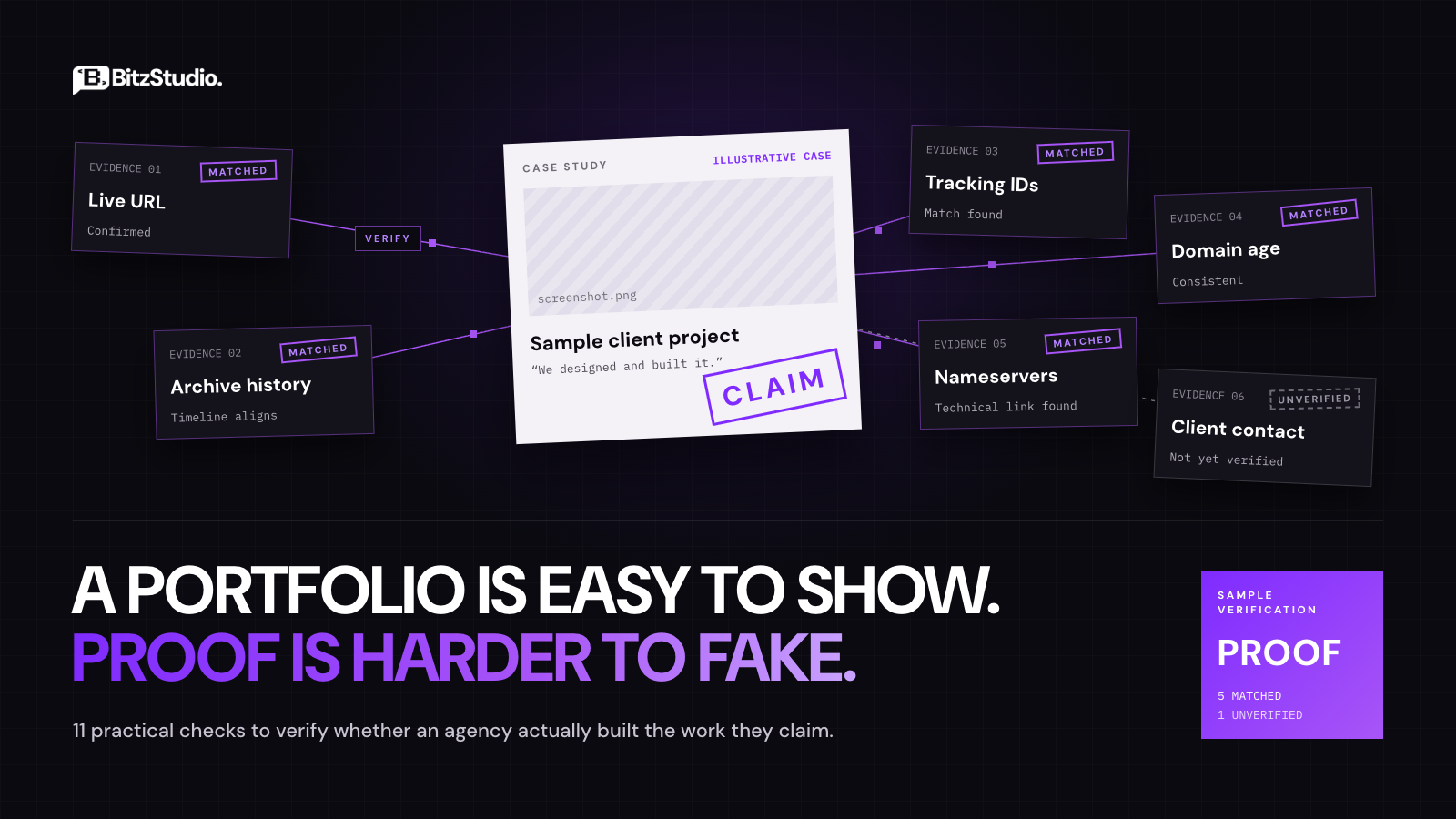
Have you ever looked through an agency’s portfolio and quietly wondered how much of it they really made?
You’re right to wonder. A polished case study can mean the team built the whole product. It can also mean they refreshed one page, or passed the job to a subcontractor and kept the client relationship for themselves. From the outside, you can’t tell these apart.
That’s the real problem. During the sales process, the seller decides what you get to see. You get their best screenshots and their happiest references, and then you’re expected to make a five-figure decision from that.
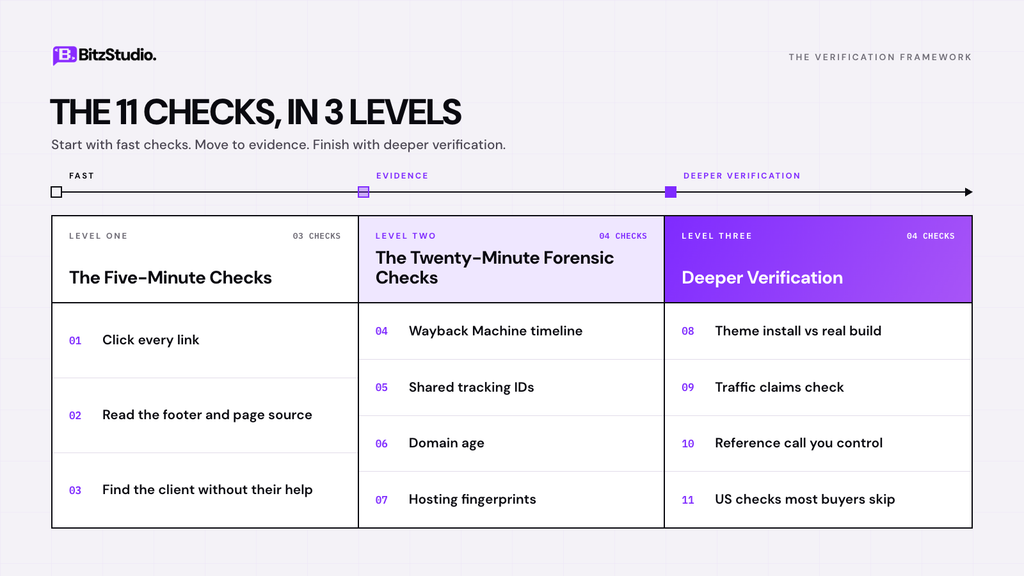
So let’s change who holds the evidence. I’ll walk you through eleven checks, split into three levels. You don’t need to code, and most of them are free.
Quick takeaways
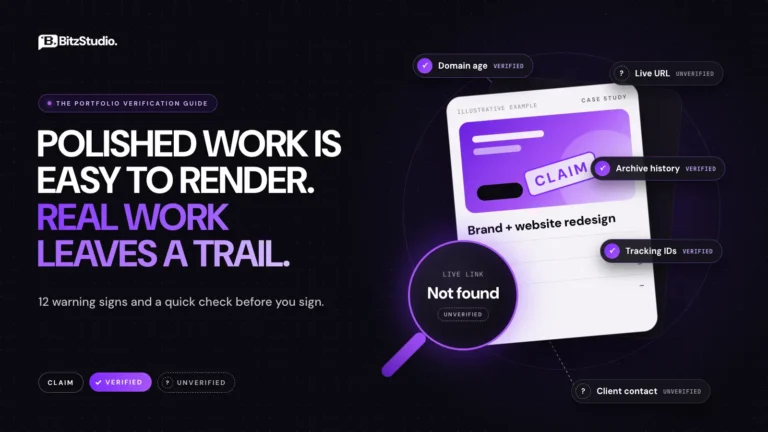
- A screenshot is a claim. A live URL with an archive history is evidence.
- Shared tracking IDs and custom nameservers are very hard to fake.
- Exaggerated credit is more common than invented projects, and harder to spot.
- Pay close attention to how a vendor reacts when you ask for proof.
Start by Knowing What You’re Checking For
Here’s a common mistake. Buyers look for fake projects, find that the projects are real, and stop there. A real project can still be someone else’s work.
“We built this” covers a lot of ground. Sometimes the firm did the design and another team wrote the code. Sometimes they took over a finished site and refreshed the homepage, or managed the client while a white label partner handled the build. None of that is exactly lying. It just isn’t what you think you’re paying for.
Then there’s the team question. A project from 2021 might be completely genuine, yet the two developers behind it may have left long ago. As you work through each check, keep one question in mind: are the people who did this work the same people who’ll do mine?
Level One: The Five-Minute Checks
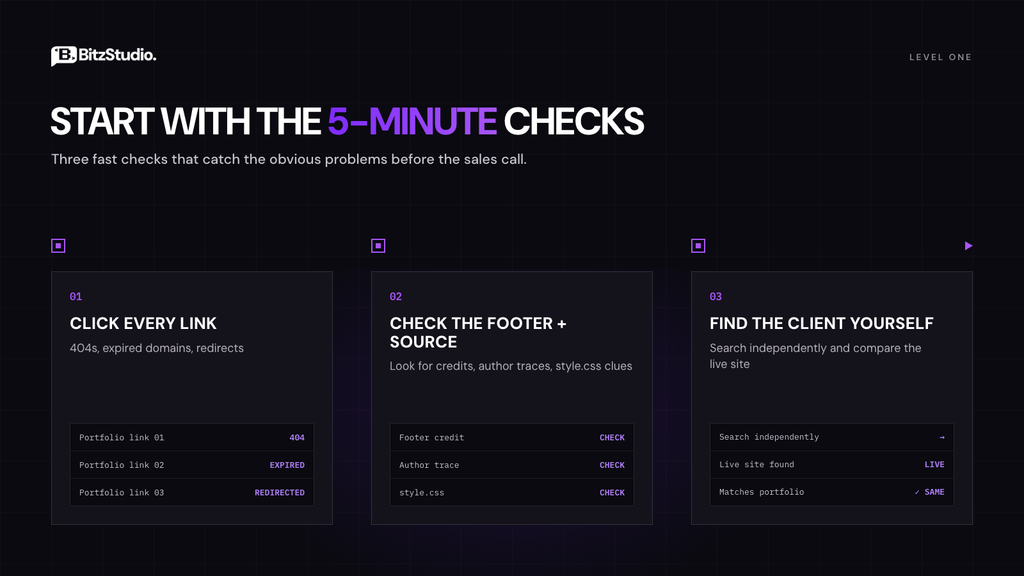
You’ve got a portfolio link and maybe a call booked for tomorrow. These first three checks catch the obvious problems, and you can do them tonight.
Check 1: Click Every Link Yourself
Most sales decks point you to three or four featured projects, and those will almost always load. The trouble usually hides further down the list.
Open everything. Make a note of any 404 errors, expired domains, or links that redirect to a different company. One dead link isn’t a big deal, since clients do move on. When half the list is broken, though, you’re looking at a showcase that exists mainly to impress.
Check 2: Read the Footer and the Page Source
Lots of developers leave a small “Website by” credit in the footer, so scroll down and look. If nothing’s there, don’t give up yet. Credits often get removed later while traces stay in the code.
Right-click the page, choose View Page Source, and press Ctrl+F (Cmd+F on a Mac) to search for their name. On WordPress sites, also open the theme’s style.css file. Its header has an Author line that sometimes names the developer. You won’t find clues on every site, but when they show up, they’re strong.
Check 3: Find the Client Without Their Help
Notice that every link in a portfolio was chosen by the people trying to win your business. They control the path you take.
Break that path. Search the client’s business name on Google yourself and visit whatever site comes up. Make sure it’s the same site from the case study and that nobody has rebuilt it since. If the live site looks nothing like the screenshots, ask about it directly.
Level Two: The Twenty-Minute Forensic Checks
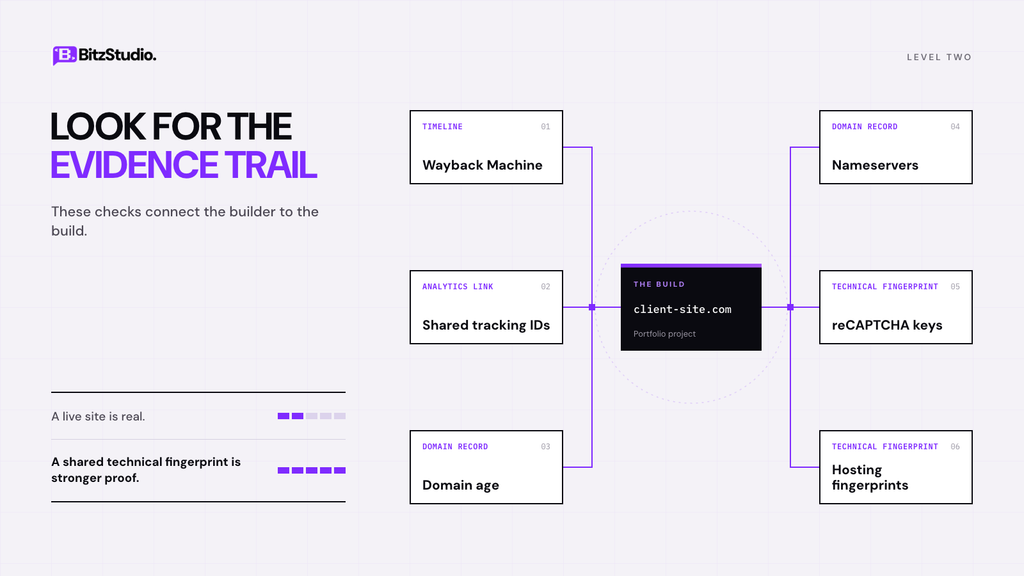
There’s a gap in Level One, though. A clever seller can pass it with work they didn’t do, simply by listing real, working sites. What you need now is evidence that ties the builder to the build.
That’s what these next four checks do. They sound technical, but each one is just a website where you type in an address.
Check 4: Test the Timeline in the Wayback Machine
Case studies come with dates, and dates can be checked. The Wayback Machine stores snapshots of websites going back many years, so you can see what a site really looked like at almost any point.
Enter the client’s URL and jump to the month they say it launched. The new design should appear around then, not two years later.
Then do the same with the agency’s own portfolio page. If their case study went up before the client’s site ever changed, the story doesn’t add up.
Check 5: Look for Shared Tracking IDs
When a team launches a site, they often set up the analytics too. If they did it inside their own Google account, the sites they built can end up sharing an ID. Older Universal Analytics codes are especially handy here, because the middle number identifies the account. So UA-4471023-1 and UA-4471023-5 came from the same place.
You can search for these links. BuiltWith’s Relationships view, DNSlytics, and SpyOnWeb each let you look up a domain and see other sites sharing its IDs. A match between a client site and the agency’s own site is strong evidence. These databases have gaps, so if you find no match, just move on to the next check.
Check 6: Check the Domain’s Age
Every domain has a public registration record. Type the client’s domain into ICANN Lookup and you’ll see when it was registered and which company it’s registered through.
Start with the creation date. If you’re told the site was built in 2019 and the domain was registered in 2022, you’ve found a problem. Owner names are usually hidden by privacy services now, so don’t expect them. Paid history tools like DomainTools can sometimes show records from before that privacy was switched on.
Check 7: Compare the Hosting Fingerprints
Builders tend to reuse the same setup across clients, and those habits leave patterns you can spot.
Use ViewDNS or SecurityTrails to look up the nameservers on a few portfolio sites. Generic ones from a big hosting company tell you nothing, since millions of sites share them. Custom nameservers carrying the agency’s own domain are a different story. That’s a direct link.
For one more check, open the page source of two sites and search for “recaptcha.” If both use the same site key, they were set up in the same Google account.
Your Free Toolkit for These Checks
Keep this table open while you work. The free versions are enough.
| Tool | What it helps you prove | Cost |
| Wayback Machine | What the site looked like on the claimed date | Free |
| ICANN Lookup | When the domain was registered | Free |
| BuiltWith / DNSlytics / SpyOnWeb | Shared tracking IDs between sites | Free tier |
| ViewDNS / SecurityTrails | Nameservers and hosting details | Free tier |
| Wappalyzer | The platform, theme, and plugins in use | Free tier |
| PageSpeed Insights | How well the site is actually built | Free |
Check 8: Is It a Real Build or a Theme Install?
Here’s a situation that catches buyers off guard. The portfolio looks great, every link works, and the timeline checks out. Then you learn that “custom development” meant buying a $59 theme and swapping the logo.
To spot this, run a few of their URLs through Wappalyzer or BuiltWith. You’ll see the CMS, the theme name, and the main plugins in seconds. If every project runs the same theme in different colors, that tells you a lot. A reverse image search on the homepage banner can also turn up the original theme demo.
To be fair, a well-customized template is often the smart choice for a small business. The issue is only when an install gets sold as custom software development. Check the depth instead: unique page layouts, dynamic content, real search or filtering.
Check 9: Don’t Trust the Traffic Screenshot
You’ve probably seen this in a pitch deck. A Google Analytics graph shoots upward with “+312% organic traffic” in big letters. It looks convincing, but anyone can change the numbers on a web page in a couple of minutes with the browser’s developer tools.
So check the claim somewhere they can’t edit. Put the client’s domain into Ahrefs, Semrush, or Similarweb and look at the traffic history. These tools give estimates, so don’t worry about exact figures. Focus on timing. If growth supposedly happened between March and September, the curve should rise in that window too.
Better still, ask for a live screen share of Google Search Console. Its Users and permissions page shows who has access right now, and a team still working with that client will usually be listed there.
When They Say “We Can’t Name Our Clients”
At some point you’ll probably hear this one. They’d love to tell you more, but NDAs won’t allow it. Sometimes that’s completely true. Other times it’s a convenient way to end the conversation.
Here’s how to tell the difference. Accept the NDA, then ask for something it doesn’t cover. An NDA usually stops a firm from naming a client in public. It rarely stops them from arranging a private reference call or showing you a redacted contract. A screen-share walkthrough of the project is normally fine too.
A vendor with real confidentiality agreements will often suggest one of these options before you even ask. If every request gets the same “sorry, NDA” reply, take note.
Check 10: Run a Reference Call You Control
When someone hands you a reference, think about it for a second. They picked that person, and they probably gave them a heads-up.
So find your own contact. Go to the client’s website, find a real person there, and reach out directly. Then ask questions that need specific answers. Who actually wrote the code? Was any of it subcontracted? What went wrong after launch, and how fast was it fixed?
Listen to how they answer, not only what they say. People who were really involved remember details, like the migration that ran three weeks late or the feature that kept breaking. If all you hear is “they were great to work with,” that person probably wasn’t close to the project.
Check 11: The US Checks Most Buyers Skip
If you’re hiring in the United States, start with the company itself. Every state has an online business entity search, usually run by the Secretary of State’s office. Search the legal name and make sure it’s registered and in good standing.
Next, be careful with badges. Clutch says its verification checks business registration and includes a credit check through CreditSafe. That’s useful, but it’s also a paid product, and neither it nor a BBB profile confirms who built a given project.
Finally, two contract points. Website accessibility has been the subject of a steady stream of ADA Title III lawsuits, so run one of their sites through WAVE and see whether they build to WCAG 2.1 AA. Then get IP ownership assigned to you in writing. If a subcontractor did the work and nothing was signed, ownership can get messy.
Red Flags That Should End the Conversation
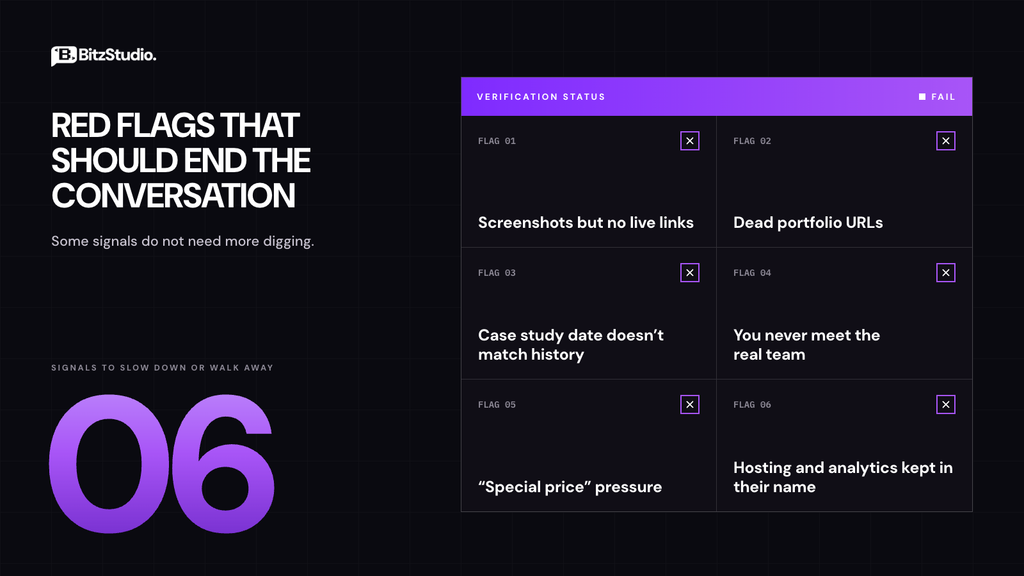
Some signs don’t need more digging. If you see any of these, slow down or walk away.
- They offer screenshots but avoid sharing live links.
- Most of the portfolio links are dead or redirect somewhere else.
- A case study is dated before the agency’s own domain existed.
- Senior people run the pitch, but you never meet the team doing the work.
- The “special price” expires in a day or two.
- They want to keep every hosting and analytics login in their own name.
Score It Before You Sign
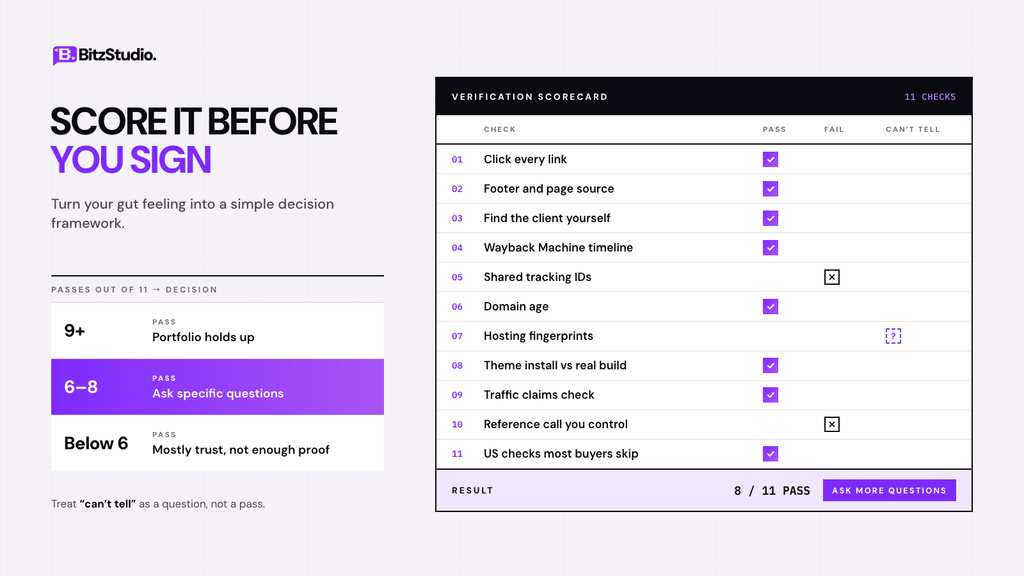
After a good sales call, it’s tempting to go with your gut. That’s exactly the moment to slow down. Go back through the eleven checks and mark each one as pass, fail, or can’t tell.
If nine or more pass, the portfolio holds up. Six to eight means you should go back with specific questions before signing anything. Fewer than six, and you’d be buying mostly on trust.
One tip for the “can’t tell” results: treat them as questions, not passes. Send them over in writing and see how quickly a clear answer comes back.
Already Paid? Here’s What to Do Next
Maybe you’re reading this a little late. The contract’s signed, and the work doesn’t match what you were promised. Don’t panic, and don’t delete anything.
Start by saving the portfolio pages, the proposal, and every message. Use the Wayback Machine’s Save Page Now feature on their website too, before it changes. Then ask in writing for access to every account, the source files, and a signed IP assignment.
If they won’t cooperate, you still have options. You can file a chargeback if you’re inside your card issuer’s dispute window, complain to your state attorney general, or report it to the FTC. Small claims court handles smaller amounts. This isn’t legal advice, so for bigger contracts, an hour with a lawyer is money well spent.
Run These Checks on Us
We’d rather you check than simply trust us. Pick any project in our portfolio and ask for the live URL, the repository history, or a client contact. If we can’t give you at least one of those, don’t sign with us.
Use that same rule with every firm on your list. For the bigger picture, our guide on choosing a software development agency covers scoping, contracts, and pricing.
Frequently Asked Questions
Is it rude to ask an agency to prove their portfolio?
Not at all. It’s a normal part of hiring, and experienced teams expect it. The way they respond often tells you more than the work itself.
Can I find out who built a website for free?
Usually, yes. Check the footer, search the page source, run the domain through ICANN Lookup, and look at the tech stack with Wappalyzer. All of these cost nothing.
What if every portfolio link is dead?
Ask why before you decide anything, because clients do rebrand and rebuild. Then look at the older versions in the Wayback Machine. No live site and no archive record means there’s nothing left to verify.
Are Google Analytics screenshots reliable proof?
Not by themselves, since numbers on a screen are easy to edit. Ask for a live screen share instead, and compare the trend with an outside tool like Semrush.
Does a Clutch or BBB listing mean an agency is verified?
Partly. Clutch checks registration and credit standing, and BBB shows complaint history. Neither one confirms who built a particular project.